Get Started
Habit Calendar is a simple means of displaying one's weekly habit progress on a select few key habits.
This means that Habit Calendar is narrowly focused on 5 or less core habits and you will easily see your successes and failures grow day by day from a single week to a month to a year and so on. The point of this calendar is to show you the power of daily habits and how truly impressive it is when you stick with something for the long term. This becomes very apparent when you scroll through months, or years, of completed days.
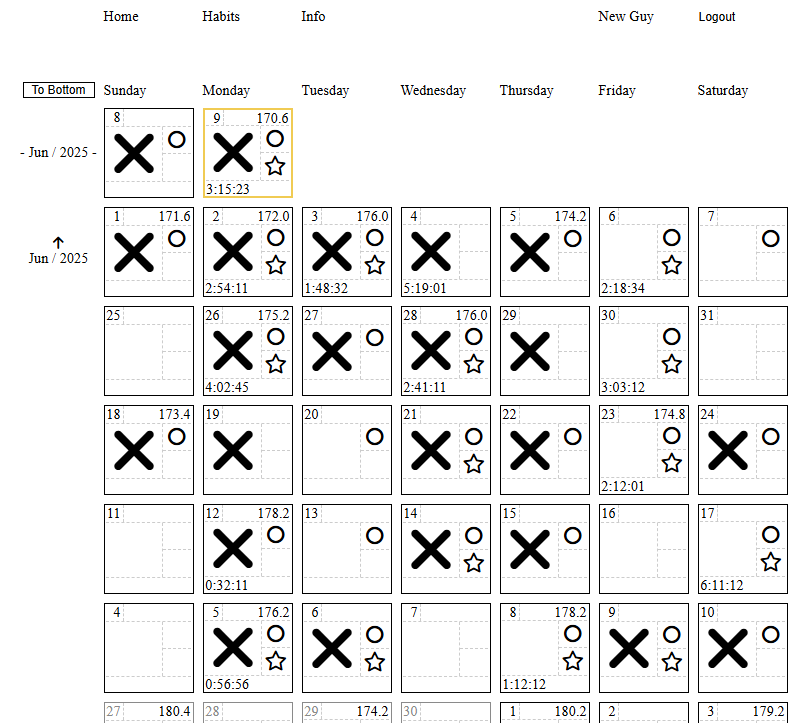
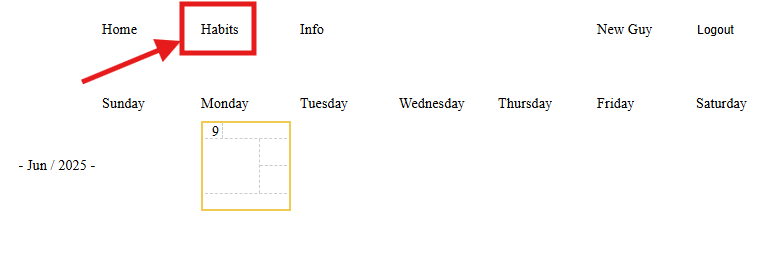
Now, this habit app is relatively simple, so feel free to skim the images OR follow the example of "New Guy" to see the basics of how it works. After New Guy registers he will see a very simple home screen (shown below). He can see the current date in yellow and can click on Habits in the nav bar to make his first habit.
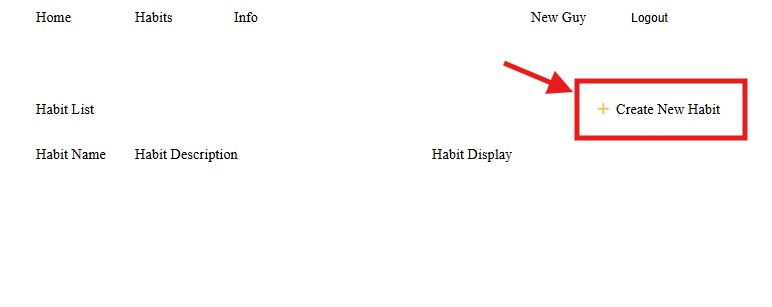
New Guy can now click "Create New Habit" to create his first habit.
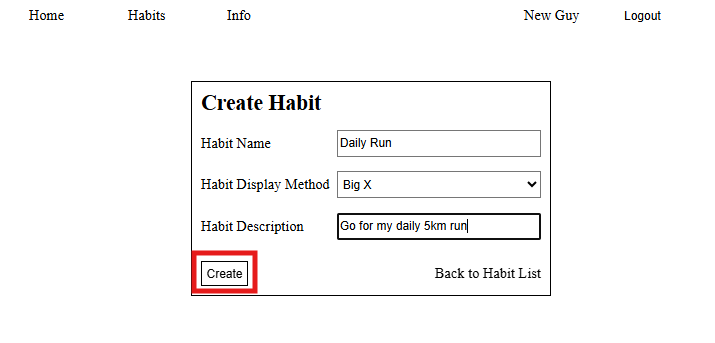
Next he can enter the habit's details. (Note: the Habit Display Method is how the habit will display on the home page calendar. For example, I use the Big X for my most important habit as it takes up a lot of real estate on a calendar cell)
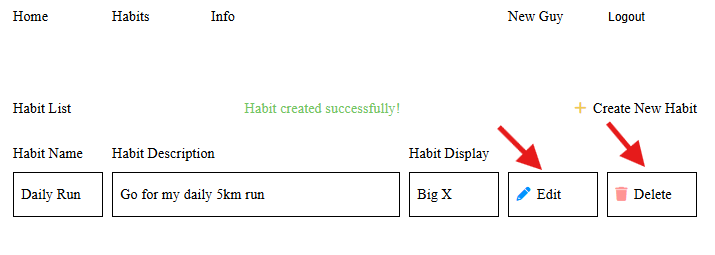
Now the habit has been successfully created and if New Guy wants to Edit or Delete the habit it's very simple to do so. (Note: Be careful deleting a habit that you have used for a while because all of that habit's history gets deleted as well)
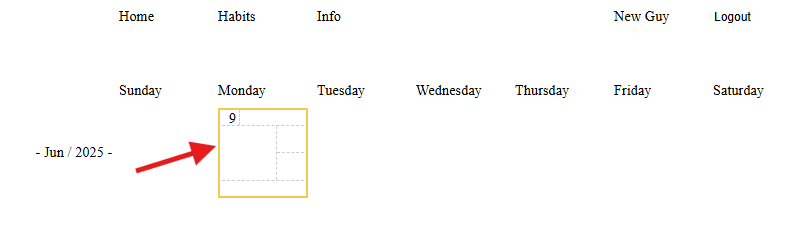
New Guy can now click into the calendar cell on the home page to update the habit for the day.
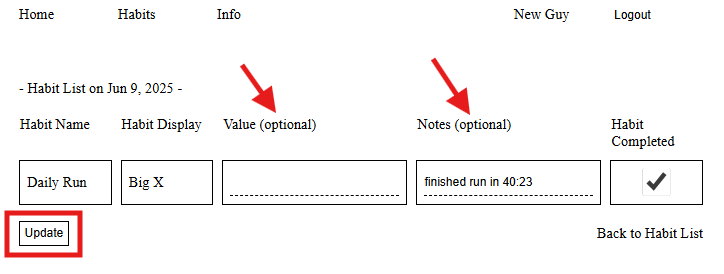
New Guy can then update the Value, Notes, and Habit Completed fields for the habit. (Note: the notes are only for your reference if you want to look back on a day's habits. On the other hand, the Value will be displayed on the calendar for the Short Text and Long Text habits, so its a good idea to fill those in if you are tracking something like time spent on an activity, etc.)
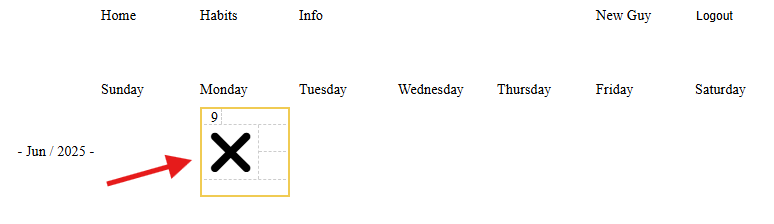
After updating his one habit, New Guy can see the Big X on his calendar cell.
New Guy decides to go back to the Habits page and add the rest of the habits he thinks are important to track.
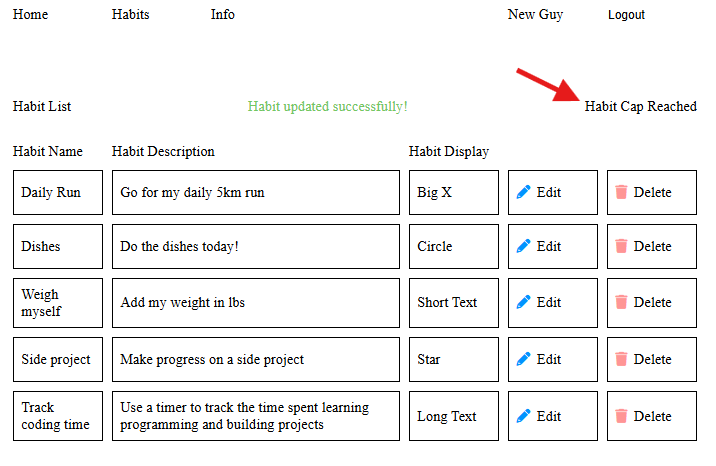
He can then navigate back to the calendar cell to update all the habits when he finishes them.
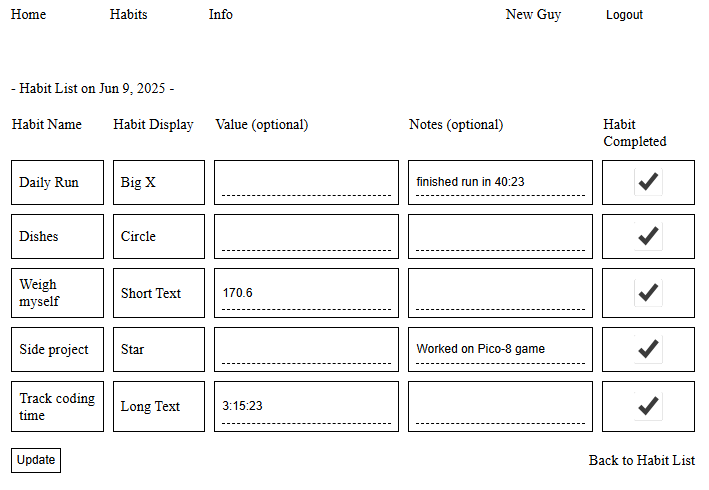
Now that's a full first day! Great job New Guy!
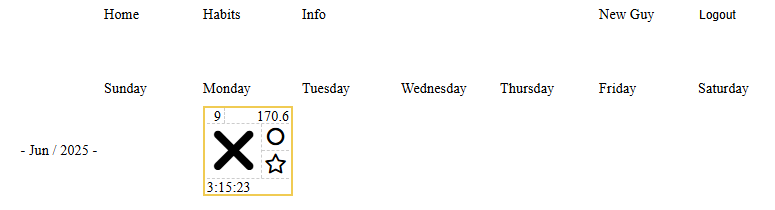
Finally, we will take a look at an alternate timeline where New Guy started tracking his habits a few months back. We can see his progress and how he fared each day. The calendar will grow on indefinitely so you can scroll through and see the trends all the way back to your start date.
The last note is to remember that the goal is not perfection, but to see more and more of your days come up in the positive! Keep working hard, making progress, and know that you become what you do, so do good stuff!